
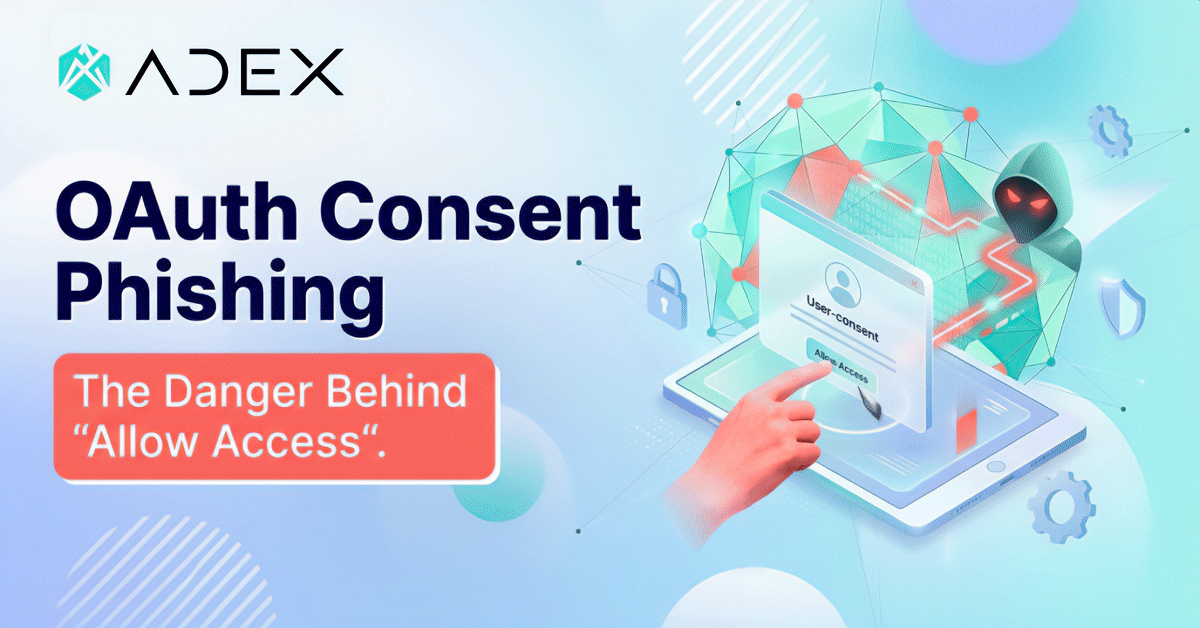
Most phishing attacks need something from you: your password, your one-time code, your credit card number. OAuth consent phishing skips all of that. The attacker ends up with access to your account, and you never typed a single credential into a fake page. You just clicked ‘Allow.’
This article explains how the attack works, why it bypasses standard defenses, and what you can actually do about it – especially if you manage advertising accounts where a single compromised login can burn through a client’s budget before anyone notices.
Contents
- What OAuth Consent Phishing Actually Is
- The Anatomy of a Fake "Connect With Google" Flow
- Why MFA Doesn't Stop It
- Why Ad Accounts Are Disproportionately High-Value Targets
- ConsentFix and How the Attack Has Evolved
- The Blast Radius When a Token Gets Issued
- Detection Signals: How to Tell If It Already Happened
- How to Defend Your Accounts Against Consent Phishing
- What a Credential Reset Won't Fix
- FAQ
- The Access You Never Meant to Give
Key Takeaways
- OAuth consent phishing doesn’t steal your password. It gets you to authorize a malicious app through a real Google, Microsoft, or Facebook screen.
- MFA doesn’t stop it. The login step is skipped entirely.
- Resetting your password after the fact doesn’t revoke access. The attacker holds a token, not a credential.
- Ad accounts are high-value targets because they carry active budgets and client data.
- The defense requires auditing which apps have permission to your accounts, not just securing your login.
What OAuth Consent Phishing Actually Is
When you click “Sign in with Google” on a third-party site, you are authorizing it to access specific parts of your Google account on your behalf – without giving your password. Google issues the site a token, which expires at some point, and you can revoke it from your Google account settings at any time. This is OAuth, the authorization standard that powers most “Connect with…” flows across the web.
The attack exploits this mechanism.
- An attacker registers a legitimate-looking app with Google, Microsoft, or another identity provider.
- The app requests access to useful things: your email, your calendar, your files, and your ad account.
- The attacker sends you a link that opens a real Google or Microsoft consent screen asking you to authorize this app.
- You approve it and Google issues the attacker’s app a valid access token.
- The attacker now has access to whatever you consented to, for as long as that token is valid.
The consent screen you saw was genuine. The URL was google.com or login.microsoftonline.com, so there was nothing fake to spot.
The Anatomy of a Fake “Connect With Google” Flow
The attack typically starts with a convincing lure. It might arrive as an email claiming a tool you already use needs to reconnect its integration, a message saying your account needs verification through a partner service, or an invitation to a shared workspace that requires authorization. The framing varies, but the goal is always the same: get you to a consent screen and click “Allow.”
Adex flagged a structurally similar mechanism in Telegram campaigns last year: attackers disguised a credential-collection step as a routine phone number confirmation, and most victims had no reason to suspect anything unusual at the point they were being exploited.

The pattern is consistent across these attacks. The moment of compromise looks like a normal step in a normal process.
Why MFA Doesn’t Stop It
Multi-factor authentication works by adding a second verification step to the login process. If an attacker has your password, they still need your phone. That’s the model, and it works well against password-based attacks.
OAuth consent phishing sidesteps the login process entirely. The attacker’s app never tries to log in as you. It requests access through you, while you are already logged in. Your MFA status is irrelevant because your credentials are never in play.
This is the part that catches most teams off guard. The security awareness training says: enable MFA, and you’re protected against phishing. That is true for credential phishing. For consent phishing, the protection model is different, and most organizations haven’t caught up to that yet.
In many OAuth-based phishing attacks, the attacker’s goal is not to steal a password but to obtain an access token by convincing a user to grant permissions to a malicious application. As the Adex analysis of the human factor in cybersecurity notes, technology alone is not enough to stop social engineering attacks, which often rely on manipulating human judgment.
Why Ad Accounts Are Disproportionately High-Value Targets
A compromised Google Ads or Meta account gives an attacker something valuable immediately: an active billing instrument tied to real budgets. The attacker can run their own campaigns on your credit, drive traffic to their own offers, or sell the access to someone else. The harm is direct and fast.
Agencies and media buyers often have access to multiple client accounts under a single login or through management accounts. One successful consent grant can expose the entire portfolio. Unlike a breach that leaks a database of hashed passwords, this attack delivers a working session that the attacker can use right now.
The ad industry also runs on integrations. Reporting tools, analytics platforms, audience management software, automation layers: each of these typically requests OAuth access to your ad accounts when you connect them. That means most accounts in active use already have a list of authorized apps. Adding one more doesn’t look suspicious from the outside.
ConsentFix and How the Attack Has Evolved
The attack is getting easier to execute and harder to catch. In December 2025, Push Security documented ConsentFix, a variant that combines OAuth consent phishing with a ClickFix-style browser prompt. The victim is instructed to paste a URL directly into their browser’s address bar, which initiates the OAuth authorization flow. The technique bypasses many email security filters because there’s no malicious link in the email itself.
The same year, Proofpoint documented multiple device-code phishing campaigns targeting Microsoft 365 accounts at scale. The device-code flow is a legitimate OAuth feature designed for devices that can’t open a browser. Attackers weaponized it to generate authorization codes that victims unknowingly approve. One campaign affected over 900 tenants and 3,000 user accounts; another created 17,000 malicious apps and sent over 927,000 messages as part of the same infrastructure push.
Automated toolkits now handle most of the infrastructure work. An attacker doesn’t need to understand OAuth to run one of these campaigns. They need a kit, a target list, and a convincing pretext. That accessibility is part of why incident volume has been rising through 2025 and 2026.
The Blast Radius When a Token Gets Issued
The scope of what an attacker can do depends on what permissions you granted. Most consent phishing attempts request broad access because users are unlikely to read the permission list carefully before clicking Allow.
| Dimension | Traditional Credential Phishing | OAuth Consent Phishing |
|---|---|---|
| What is obtained | Password + MFA code | Nothing stolen – a permission is granted |
| MFA stops it | Yes | No |
| Password reset fixes it | Yes | No – token persists independently |
| Visible login anomaly | Often (unfamiliar device or location) | Often not – attacker uses token API calls, not interactive login |
| Detection method | Login logs | Connected app audit |
| Remediation | Change password, revoke sessions | Revoke app access, audit all connected apps |
With access to your Google Ads account, an attacker can create and run campaigns, modify existing ones, adjust budgets, add new payment methods, and export audience data. With access to your email, they can monitor correspondence, intercept verification codes, and impersonate you to partners. The Hacker News reported in May 2026 on a breach involving OAuth token abuse that spread across 700+ Salesforce tenants through legitimately approved connections.
The access can persist for weeks or months if the token isn’t revoked and the app isn’t audited out. Many tokens are issued with long lifetimes or refresh automatically. The attacker doesn’t need to stay active to maintain access.
Detection Signals: How to Tell If It Already Happened
Many organizations find out late, because the attack leaves different footprints than a credential breach. There are no failed login attempts or unfamiliar IPs trying to authenticate. The attacker’s calls come through a token that your identity provider recognizes as legitimate.
What you can actually check:
Go to your Google account’s connected apps at myaccount.google.com/permissions. Look for anything you don’t recognize or don’t remember authorizing. Check when it was connected and what permissions it has. Do the same in Microsoft’s My Apps at myapps.microsoft.com, and in Meta’s Business Integrations settings if you run Facebook campaigns.
For Microsoft 365, Microsoft provides guidance on detecting and remediating illicit consent grants through the audit log in the Microsoft Defender portal. The relevant activity to search is “Consent to application.” If IsAdminConsent shows as True for an app you don’t recognize, investigate further.
Review apps that have “read and write” or “all” permissions to your email or ad accounts. Those are the ones worth scrutinizing first.
How to Defend Your Accounts Against Consent Phishing
Securing the login is necessary, and it’s also not the full picture. You also need to manage what’s authorized for your accounts after the login.
- Slow down at OAuth consent screens. Before you click Allow, read what the app is requesting access to. “Read your email and manage your calendar” for a tool that’s supposed to show you ad reports is a warning sign. Legitimate integrations request only what they need.
- Audit connected apps on a schedule. Once a quarter, go through the authorized apps on your Google, Microsoft, and Meta accounts. Revoke anything you don’t actively use. This is especially important for accounts that have been through agency handoffs, team changes, or tool migrations, where old authorizations accumulate.
- Use admin consent policies where available. Microsoft Entra ID lets administrators configure managed consent policies that restrict which apps users can authorize. Starting July 2025, Microsoft began enabling this by default, requiring admin approval for third-party apps accessing files and sites. If you’re managing an organization’s Microsoft environment, verifying this policy is active is a concrete step.
- Be specific about permission scope when you connect tools. Some platforms let you choose what access level to grant during the OAuth flow. Choose the narrowest scope that lets the integration work.
- Train the team on what a consent screen actually is. Most people understand “don’t enter your password on a fake site.” Fewer understand that clicking Allow on a real site can still hand over access. The difference matters, and it’s worth five minutes in a team meeting.

What a Credential Reset Won’t Fix
If your account gets compromised through a consent grant, resetting your password removes the attacker’s ability to log in with your credentials. It does nothing about the token. The attacker’s app still has whatever access you granted, because the token was issued by the identity provider directly and exists independently of your password.
This is the operational detail that incident response scripts often miss. The correct remediation is to find and revoke the app’s access, then audit whether any actions were taken during the access window: campaigns modified, budgets adjusted, data exported, and new users added.
Password rotation is still worth doing as a parallel step. But if it’s the only step, the access gap stays open.
The same limit applies to MFA resets, session revocations, and device trust changes. None of those touch the token. The app access has to be revoked directly.
From a security operations standpoint, this is one of the most common gaps noticed after an account compromise is reported: the team resets credentials, confirms no unfamiliar logins, closes the ticket, and considers it resolved. The app that was authorized during the attack is still there, but just isn’t making noise yet.
FAQ
What is an OAuth consent screen?
It’s the page a real identity provider (Google, Microsoft, Meta) shows you when an app requests permission to access your account. It lists what the app wants to access and asks you to approve or deny. The screen itself is genuine: the URL belongs to the identity provider, the design is official. The malicious element is the app on the other side of the authorization, not the screen you’re looking at.
How is this different from a regular phishing page?
A regular phishing page is a fake that copies the look of a login screen to steal your credentials. OAuth consent phishing uses the real login infrastructure. You’re interacting with Google or Microsoft directly. The risk is in what you’re consenting to, not in where you’re typing.
Can two-factor authentication protect me?
Against credential theft, yes. Against consent phishing, no. The attack doesn’t need your password or your second factor. It only needs you to click Allow on the consent screen. MFA secures the login step; consent phishing bypasses the login step entirely.
How do I revoke a suspicious app’s access?
For Google: go to myaccount.google.com/permissions, find the app, and click “Remove Access.” For Microsoft: go to myapps.microsoft.com or use the Microsoft Entra admin center. For Meta: go to Settings, then Security and Login, then Apps and Websites. Revoking access removes the token and ends the app’s ability to make calls on your behalf.
Why would an attacker want access to an ad account specifically?
Ad accounts have active billing instruments and often manage significant budgets. An attacker can run their own campaigns at your expense, redirect traffic, or resell the access. Accounts connected to agency management structures are particularly attractive because one authorized connection can reach multiple client accounts.
The Access You Never Meant to Give
OAuth consent phishing works because the attack fits inside a normal-looking step. The consent screen is real. The identity provider is legitimate. The only thing that went wrong is that you authorized an app you shouldn’t have, at a moment when you had no reason to look twice.
Protecting against it requires a habit that most security awareness programs haven’t caught up to yet: treating the authorized apps list the same way you treat your login credentials. Something worth reviewing, worth pruning, and worth checking after anything unusual. The access that lingers after the fact is the actual risk.